
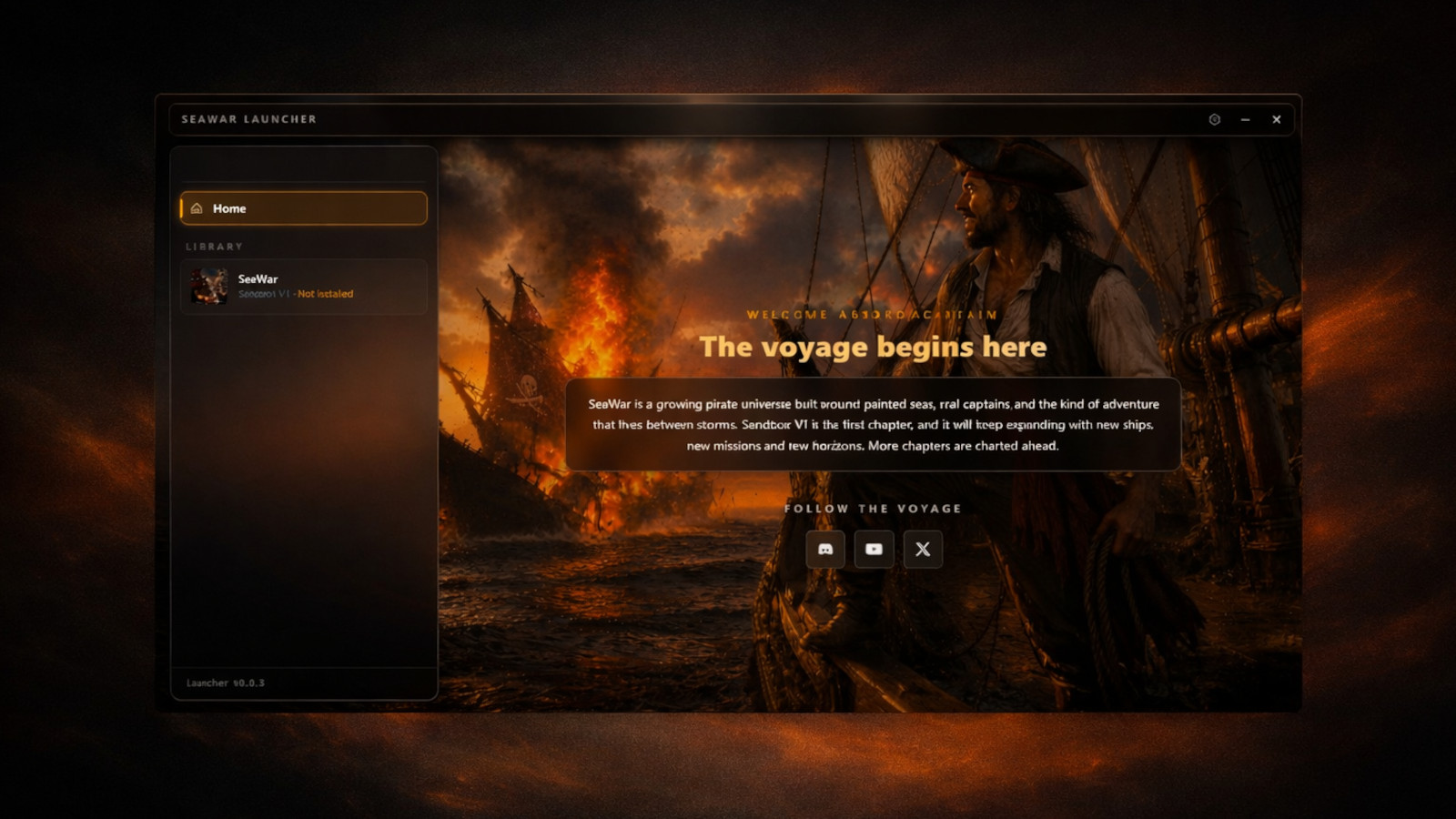
Update: The Phalangix Launcher is live. Get it from the download page. The original pre-launch announcement follows below.
Before the game ships, the launcher ships. This is a short post explaining what the Phalangix Launcher is, why we built it ourselves instead of leaning on a third party, and what you can expect when it lands in your downloads folder in the coming weeks.
What it is
The Phalangix Launcher is a small standalone Windows application. It installs once, it sits in your Start menu, and it does four jobs.
- Install. Download Phalangix games to a folder of your choice. SeaWar Sandbox V1 first, future titles after that.
- Update. Detect new versions, download only what changed, verify integrity, swap files atomically.
- Launch. Start the game with the correct version pinned, the correct arguments, the correct working directory.
- Library. A simple list of what is installed, what is pending an update, and where each game lives on disk.
That is the whole feature surface. No store. No friends list. No chat. No achievements. No badges. No background telemetry. The launcher is a tool, not a platform.
Why we built our own
We thought about this for a long time. We could have shipped through Steam, through itch.io, through GOG, through Epic. We may still ship there later. But for the V1 release, we wanted to control the install pipeline ourselves. Three reasons.
1. Independence from any one storefront
If Sea of Thieves taught a generation what crewed pirate adventure feels like, it also taught us that platform dependencies are real. Skull and Bones launching on Ubisoft Connect was a months-long support headache for the team. World of Warships runs its own launcher to avoid being a single store’s tenant. Naval Action uses Steam but the team has always maintained a non-Steam install option. ATLAS, King of Seas, Sea of Conquest, every major naval property has its own opinions about distribution because storefronts come with their own constraints.
We do not want to be a tenant on a platform we cannot ship updates to in our own timeline. Our own launcher means our own pipeline.
2. Updates without surprises
The launcher pulls update manifests from this site directly. When we publish a new SeaWar build, the launcher will see it within minutes. The downloaded archive is checksum-verified before extraction, the install is atomic (no half-patched state if your connection drops), and you can pin a version if you want to stay on an earlier build. The whole update process is observable: you can see what version you have, what the latest is, what the changelog says, and what files are about to change.
If you have ever lost a save to a forced update, or had a beloved game suddenly require a launcher you did not install, you know why this matters.
3. No phone home
The launcher does not register an account. It does not send telemetry. It does not check in with our servers unless you ask it to check for updates. It does not run a background service. It does not start with Windows. It is a piece of software that does its job and stays out of the way.
If you grew up installing Seafight from a browser, or Pirate Storm from a downloadable client back in the late 2000s, you remember a time when a game client did not need to know anything about you to deliver the game. That is the model we are bringing back.
What is in the first build
The V1 launcher ships with three slots. Install, update, launch. Anything beyond that is V2 territory. Specifically, the first build does not include a news feed, a friends list, a store, or any social features. The library shows what you own and what is pending. That is it.
Three save slots per game, by the way. Saves live on your disk in a folder you can back up. If you ever want to copy your SeaWar progress between machines, just copy the save folder. No cloud sync, no log-in, no proprietary format. The same model browser games used to follow before they all moved to cloud accounts.
Why ahead of the game
Two reasons.
First, we want to test the install pipeline at scale before the game lands. A launcher with no game in it is small enough to stress-test the download infrastructure without risking the SeaWar release. By the time SeaWar Sandbox V1 ships in summer, we will have weeks of real install data on the launcher itself.
Second, the launcher is what carries every future Phalangix game. If you only ever play SeaWar, the launcher is a one-game library. If you stick with us through future projects, you will already have the install pipeline. Either way, it ships ahead.
System requirements
The launcher runs on Windows 10 64-bit and newer. It is a small download, well under the size of any modern game install. It needs no special hardware, no GPU, no dedicated RAM allocation. It is a thin app written for the job and nothing else.
SeaWar Sandbox V1 has its own system requirements, listed on the SeaWar page. The TL;DR: it runs on machines that would struggle with Sea of Thieves or Skull and Bones. We have prioritized broad compatibility because we have read every Sea of Conquest review that says "wish I could play this on a real screen" and we agree.
What you do when it lands
- Go to the download page.
- Click the big gold button.
- Run the installer.
- Open the launcher.
- Wait for SeaWar Sandbox V1 to appear in the library, then click install.
- Play.
That is the whole journey. Five clicks from a fresh Windows machine to ship combat on the open sea. The launcher exists to make sure those five clicks are reliable.
When
The first launcher build is in final QA right now. We are aiming to publish it in the weeks before SeaWar Sandbox V1 launches in summer. When it goes live, the download page will list it, and a new news post will mark the release.
If you want to be the first to know, watch the news feed. Or wait for the next post. We will say it loud when the link goes live.
The launcher is small, but it is the front door. We are taking the time to get it right.